
ACTIVATING 2ND TIME SLOT FOR SUBMIT LISTING
To include the 2-time slots into the Submit Listing, first, go to Theme Options > Listing Settings > Listing Submit & Edit
Enable the 2-time slots as shown in the image below

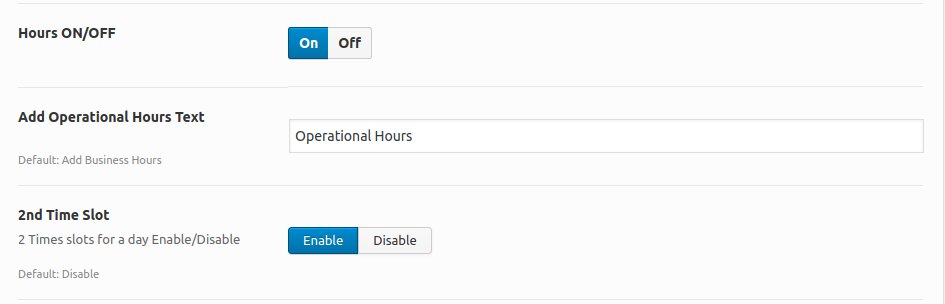
Click on Save Changes
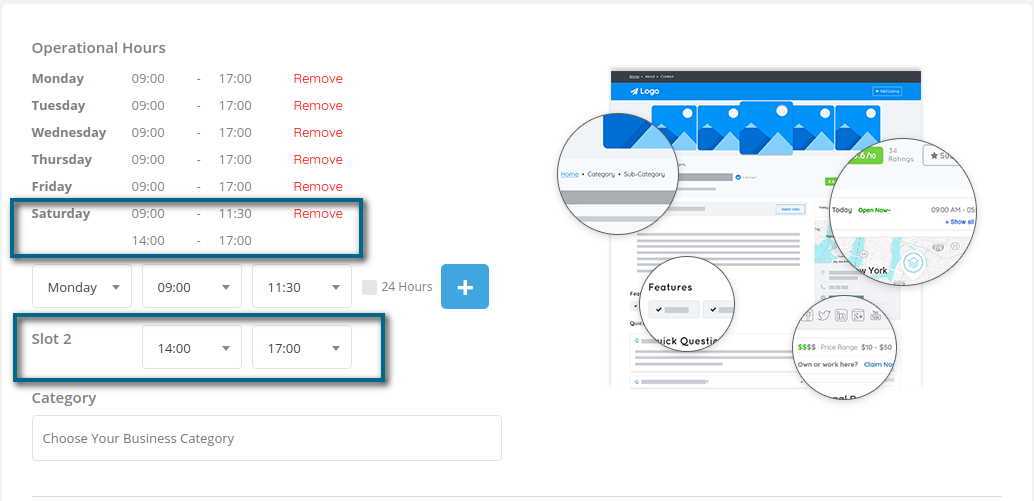
In case if your business has a defined weekday that works for 24hours, just click on the box and hit on the + Button to set the working hour for the day as “Open 24hrs“.
ATTENTION
It’s recommended to use the 24H format instead of 12H format. Also, operational hours with your language translation, the weekdays should be translated correctly, without word contractions. Use the standard weekdays’ translation.