
In the below steps, we’ll show you how to change the Pricing Plans orientation style (Horizontal or Vertical) only. Further styling options are available when adding or editing a pricing plan under Pricing Plans.
STEP 1: Login to WordPress admin dashboard.
STEP 2: Go to Pages > Select Your Plan page.
STEP 3: Find Visual Composer element called Pricing Plans and click Edit icon as shown below.

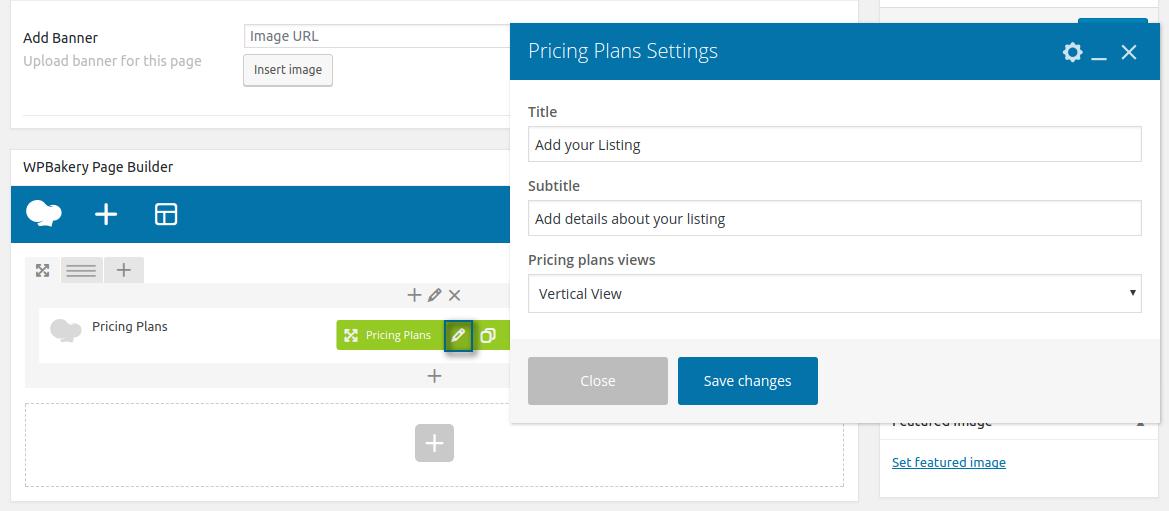
STEP 4: Select a Pricing Plans style.


STEP 5: Click Save Changes
STEP 6: Click Update