
For users that are newcomers on WordPress and aren’t aware of what a Site Optimization means, follow a short resume about it:
There are many ways to optimize our websites to deliver the information available on each pagelink.
Some of these optimizations refer to SEO, while others may be related to how your website speed behaves during frequent loading requests. Roughly 75% of websites are referred to optimizations in SEO, while 25% only refers to referral links that your website has while loading CSS, Javascript, Image, Videos or any other type of format that your site is responsible to load when some user requests a blog article or a service after searching for “restaurants” within your directory”.
Does the Team give Support for Site Optimization?
Unfortunately, we don’t give support for SEO, SEM, Optimizations, Server Maintenance, and any other that aren’t related towards our purpose. Our Team has total responsibility to deliver update releases, bug fixes, customization to implement and increase your directory by specific requests on particular features, support about how to setup correctly ListingPro Directory and relative activities.
How do I know that my directory is running in a good performance?
It’s not that hard but keep in mind that every single image that you upload to your directory do count as well. This is a process that should be taken since the beginning. Every image, videos, alt text, descriptions etc, should be added.
You may find many warning signals about your uploaded images during some loading speed tests. Here’s an example:


CSS & Javascript Loading Speed Requests
To increase the performance of your website, it’s also possible to optimize files such as CSS, Javascript, or others. This also includes even your uploaded plugins that may interact with pages and users requests as well. You’ll see details about these topics as the example below:
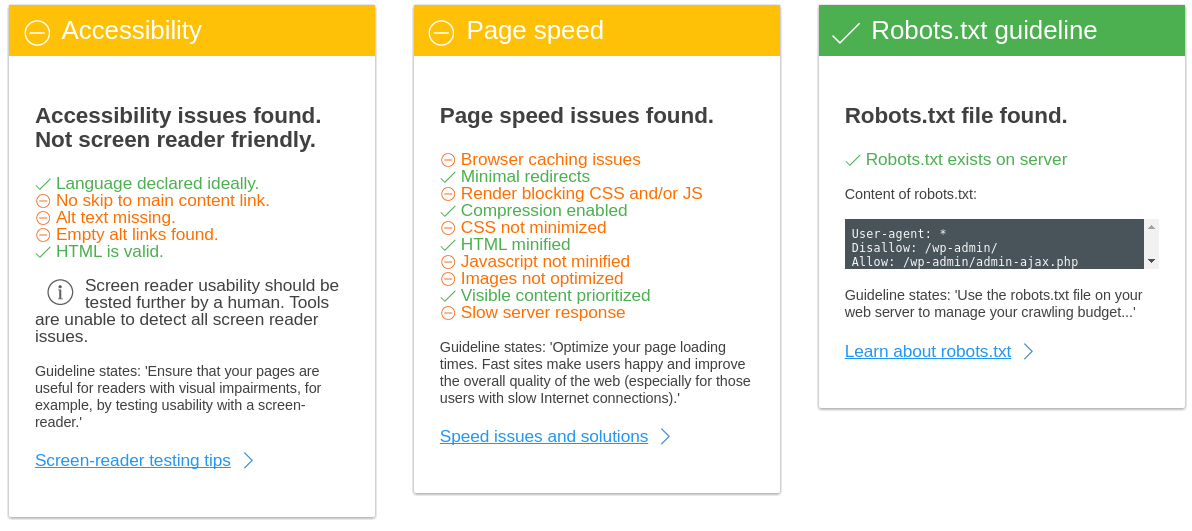

You can optimize these files using online services for free, and also you’ll find many articles regarding these topics. It’s a natural process that every online business should be aware of, before/after running your online business. To give some examples, you can use jscompress.com or also javascript-minifier.com and for CSS as well. These are just two options, but you may find more online services that can create your minified files.
How do I find the correct way to apply these changes to optimize my directory?
Below are some links that may help you during your optimization:
Render blocking javascripts
Server response time
Leverage browser caching
Minimize redirects
Critical rendering path
Optimize CSS delivery
Avoid bad requests
Minimize DNS lookups
Avoid CSS @Import
Defer loading javascript
Where do I test my Website Loading Speed?
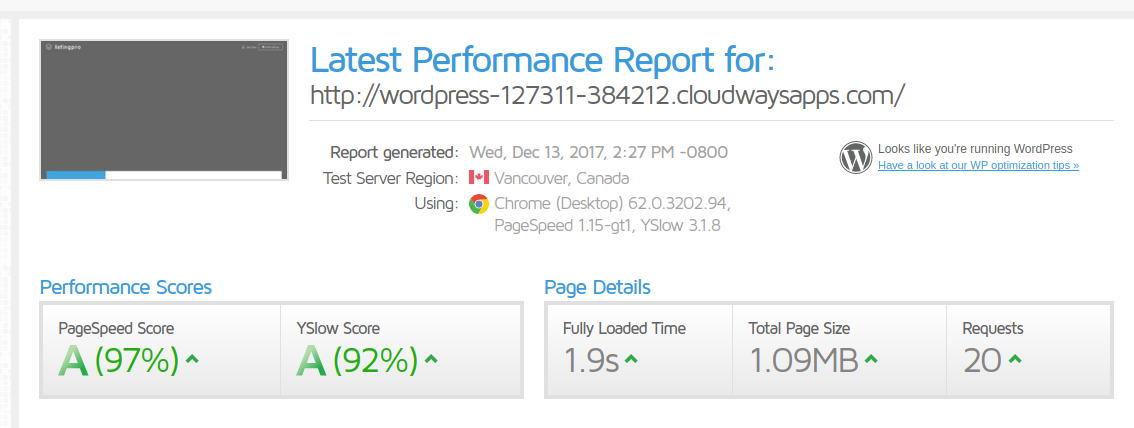
There are many alternatives that test your website loading speed. As a resume, and for the most popular found on the internet, you can make tests using GTmetrix or with Varvy. Each of these services will vary on how they deliver the information available for each section after the result. Varvy is more user-friendly and also has an understandable content for non-techie users. GTmetrix is robust and also gives a wide set of results divided by sections.

ATTENTION